
Skip to Content
Go back
reading time: 5 mins

Web Dialer – A built-in service for calls within the Link numbers

BAS-IP Link has an inbuilt service for calls within the Link numbers. The Web dialer is available if the server uses a domain name and valid SSL certificates. Also, the license with the feature must be bought. This service is available for users accessing the server web interface, i.e., administrators and concierges. 

Except for calls between devices and users, the service allows intercept calls from visitors to residents. It is intended for the scenario when a visitor from the panel calls any apartment, but the concierge intercepts the call and (instead of the apartment residents) communicates with the visitor.

Web dialer configuration

To enable the Web dialer, select the dialer virtual number (from the previously created) in your or user profile.
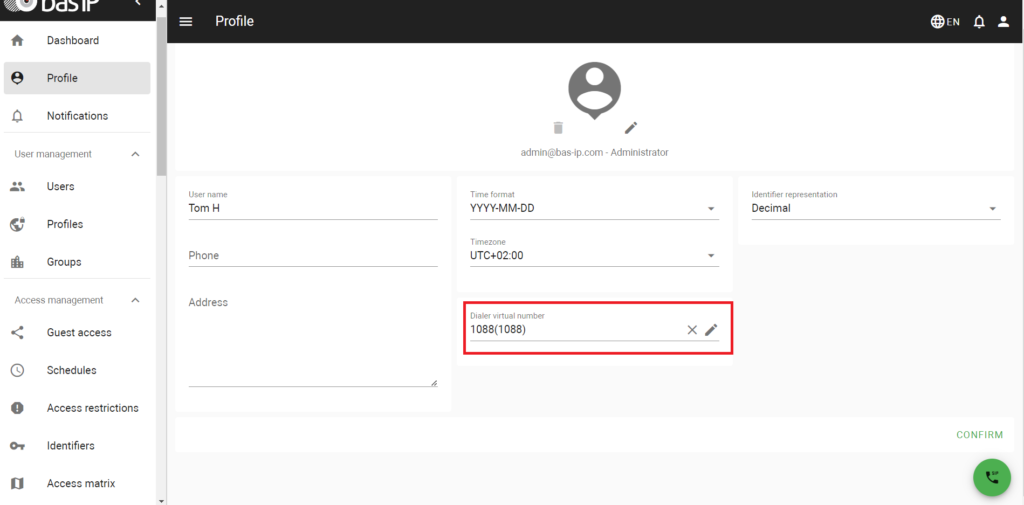
To disable the feature, delete the dialer virtual number in your or user profile.
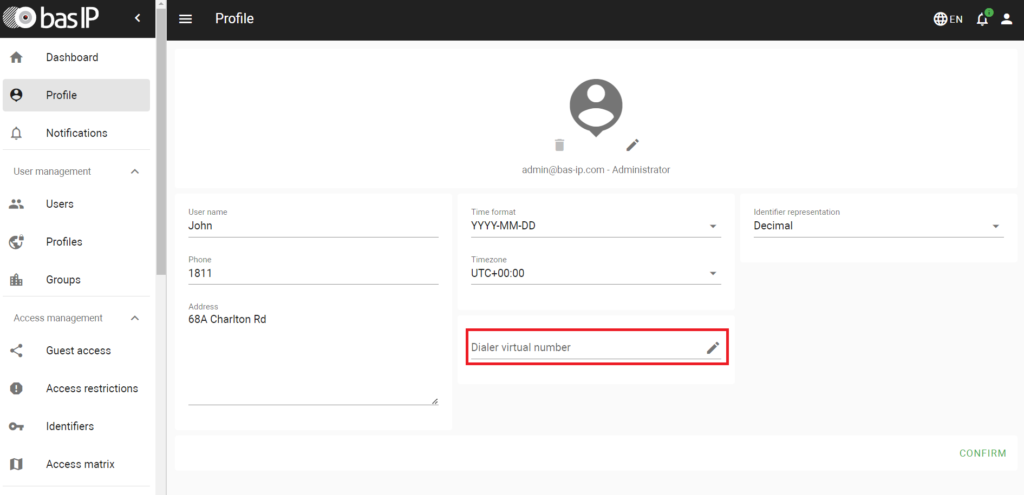
Permissions

Be aware that you or the user must have the following permissions to use the feature:

  • can call to all and can call to intercom for administrators using the web dialer
  • can receive calls like concierge and can call to intercom for concierges using the web dialer
  • can intercept call like concierge if the Call interception feature is going to be used

Web dialer usage

The button “SIP call” to open the web dialer is in the low right corner of any page in the Link web interface.
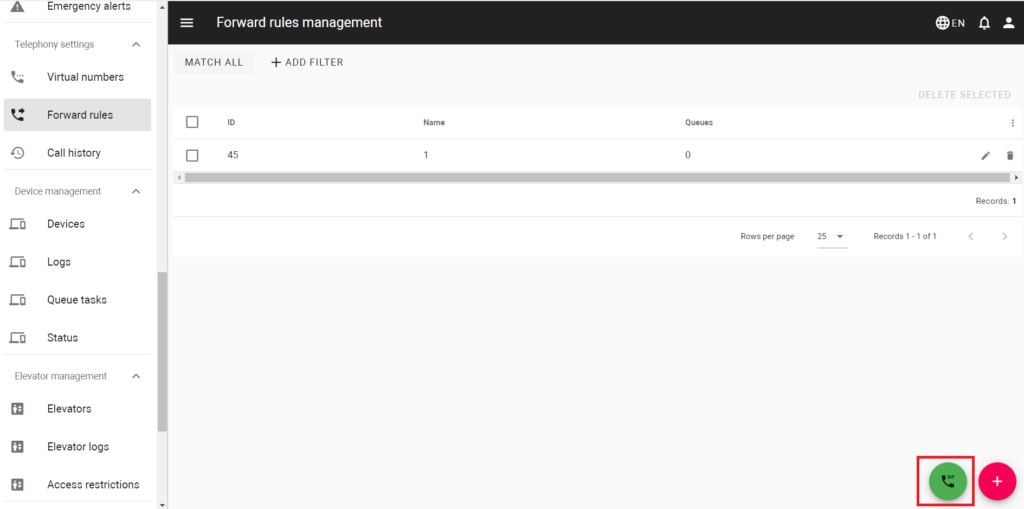
Contacts

In this section, you can find the list of all created in the Link virtual numbers. Use Search, if you need to find the concrete number.
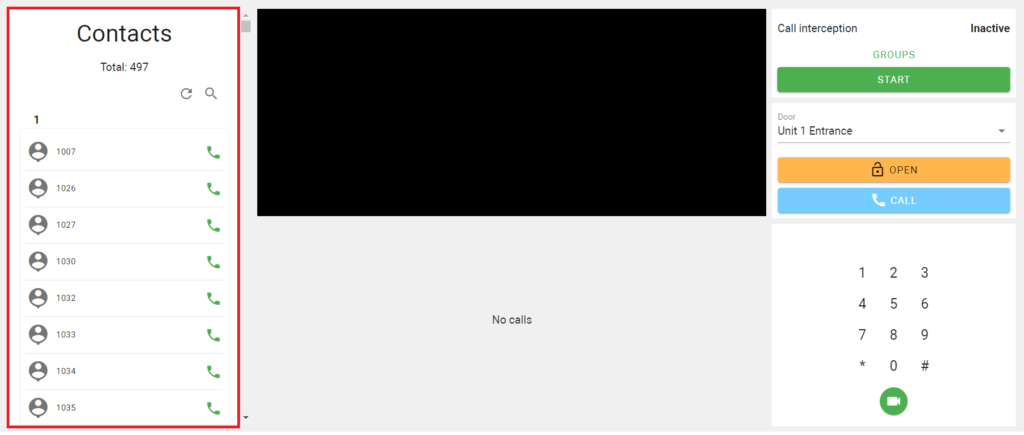
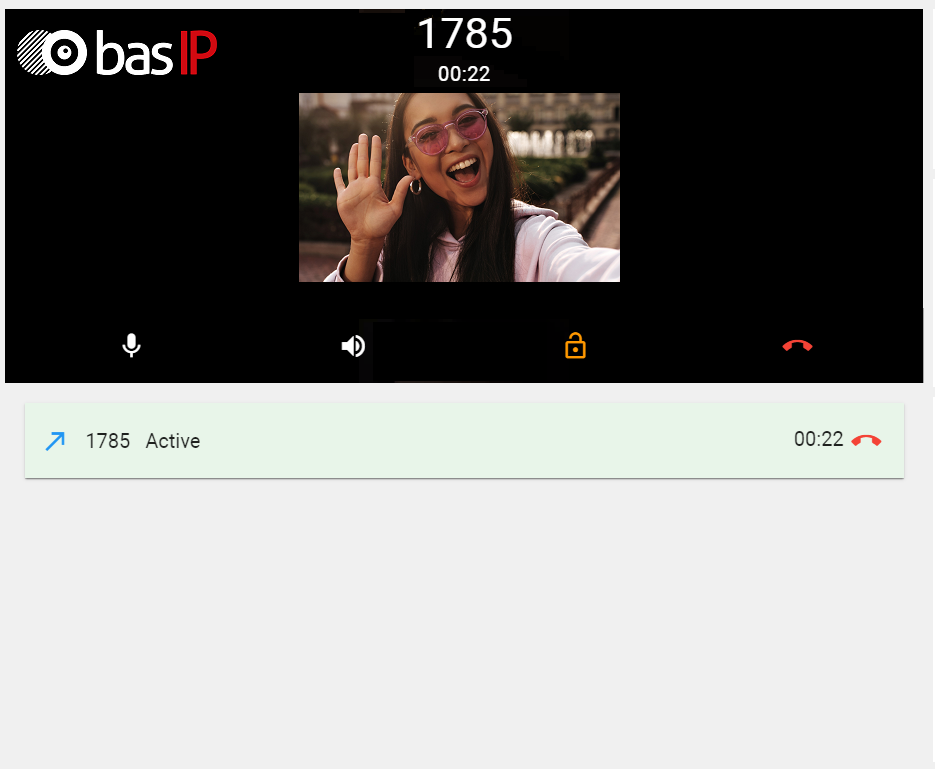
You can call any number by pressing “green call”. During a call, you can enable/disable your microphone, adjust the volume, and open the lock (if the call is directed to the panel). Below the call window, you can check the history of incoming/outgoing calls during the session.
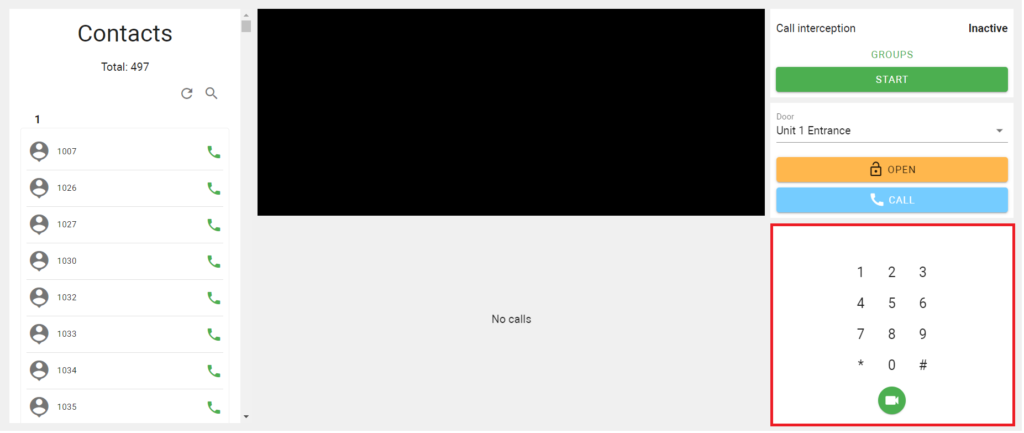
Keypad

In the low right corner, there is a keypad to enter the required virtual number manually and call it with or without the video.
Interaction with devices

In the section shown on the image below, you can interact with the required device directly.
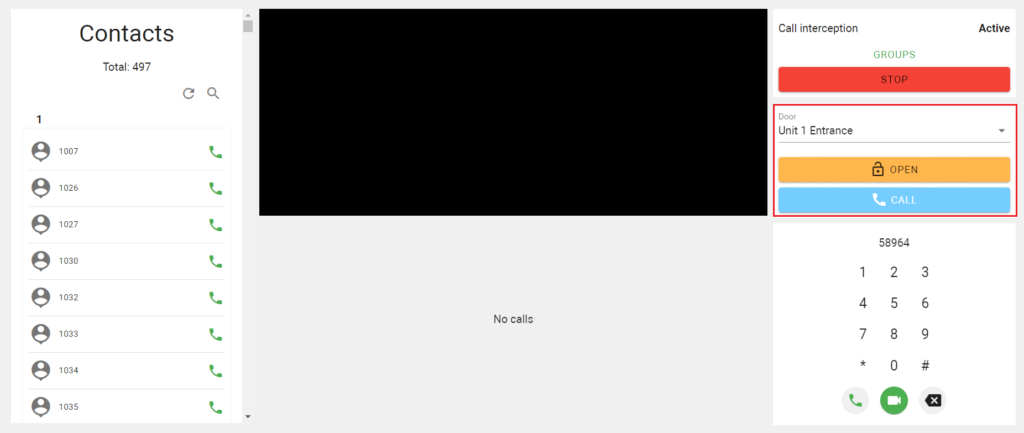
In the Door field, you can select the required panel and call it or open its door by clicking the corresponding buttons.

See also  Demystifying the IP Code: Your Ultimate Guide to Waterproof Ratings

Call interception

As mentioned previously, it is possible to intercept calls from visitors to residents. If you have, the Can intercept call like concierge permission, you can receive calls from the entrance panel instead of apartment residents to whom the call is originally directed.

Head over to our wiki to read the rest of this article. There, you’ll discover detailed setup instructions and other helpful materials.

similar articles
Articles

The entry panel is the first point of contact between a building and a person. And if this building is municipal, social, medical, or educational, the panel at the entrance must be clear and convenient for everyone: the hard of hearing, the visually impaired, elderly people, visitors unfamiliar with the system. AV-08FBIL was designed precisely […]

Articles

A video intercom monitor is often treated as just a screen on the wall. In reality, it is one of the key parts of the system: it is the device through which the user receives the call, sees the visitor, speaks with them and manages access. What a Video Intercom Monitor Is A video intercom […]

Articles

When the word “SIP” appears in the specifications of an intercom or entry panel, it often sounds like something purely technical. In practice, the meaning is much more practical. SIP is a protocol used to establish communication between devices on a network. Put simply, it helps one system “call” another, establish a connection, and begin […]

Articles

When people first come across the term “IP video intercom,” it often sounds more technical than it really is. In practice, the basic idea is fairly simple. An IP video intercom is an intercom system that works over a network. In other words, communication between the entry panel, the indoor monitor, and other devices is […]

Articles

An entry panel is often treated as just “the button by the door.” In reality, it is one of the key elements of the intercom system. It is the device through which a call begins, audio and video are carried, and, in some cases, access, identification, and different entry scenarios are handled. So it is […]

Articles

Access control and a video intercom are often treated as though they were the same thing, because both are linked to entering a building. But they are not quite the same. A video intercom is primarily about communication with a visitor: the call, the conversation, the image, and the decision to release the door. Access […]

Articles

What PoE Means in Simple Terms PoE stands for Power over Ethernet. Put simply, it means that the same Ethernet cable can carry both data and power. That means that, for some devices, you do not need a separate network connection and a separate power feed. If the equipment supports PoE, one cable may be […]

Articles

Why This Comparison Is Often Presented Too Simplistically When people talk about the difference between an IP and an analog video intercom, the discussion is often reduced to a crude formula: analog is basic and outdated, while IP is automatically modern and better. That is a convenient story if someone only wants to sell IP […]

Articles

Start Not with the Design, but with the Use Scenario The most common mistake is choosing an entry panel without a clear task in mind. A panel for a private house, a block of flats, an office, or a commercial site is not the same thing. First, answer the basic questions: How many users will […]

Articles

What the Difference Actually Is A flush-mounted panel is recessed into the wall or into a prepared niche, so only the front face remains visible from the outside. That makes the installation look neater and more integrated. A surface-mounted panel is fixed on top of the wall. It protrudes further, but it is usually much […]