
Courier at the Gate: how to receive a delivery when you are not at home
You ordered groceries or a parcel, but there is no one at the door to open it? A modern IP intercom solves this without “handing a key to a neighbour”. The scenario is simple: the courier rings the intercom, you receive the call on your phone, see the person on video, talk to them, remotely open the gate or the building entrance and indicate where to leave the box. Below is how to organise this in advance and what to do at the moment of delivery so that everything goes without stress and without risk. I show the examples on BAS-IP, because those functions are available out of the box and without any fuss.
What to prepare once so that you do not fuss later
Start with the app. Install our app on iOS/Android, log in, enable notifications and allow background operation. Most complaints “the call does not arrive” are not about the intercom, but about the phone’s power saving. Add the app to exceptions, make a test call from the outdoor panel, lock the screen and check whether the notification will arrive.
Next is the place where the courier will leave the parcel. In a private house this can be a box at the gate; in a block entrance — a basket by the flat door, the concierge’s desk or cages on the ground floor. Choose a “drop point” once and agree it with everyone at home — then there will be no arguments and no “lost items”.
If you often receive deliveries, create guest access in advance. In BAS-IP this is a one‑time QR code or a temporary PIN with an expiry time and zone restrictions (for example, external entrance only). It is useful when you are on the road and are not sure that you will answer the call in time.
Finally, check sound and picture. If the panel stands in the open air, set noise suppression and the camera angle so that a face is in the frame, not the peak of a cap. Spend ten minutes — afterwards you will not have to guess who is in front of you.
Briefly about the hardware: BAS-IP has outdoor panels with proper night image and moisture protection, indoor monitors from 4.3″ to 10″, and the SP‑03 audio handset if a screen is not needed. For the simple scenario “house + gate + app” this is enough.
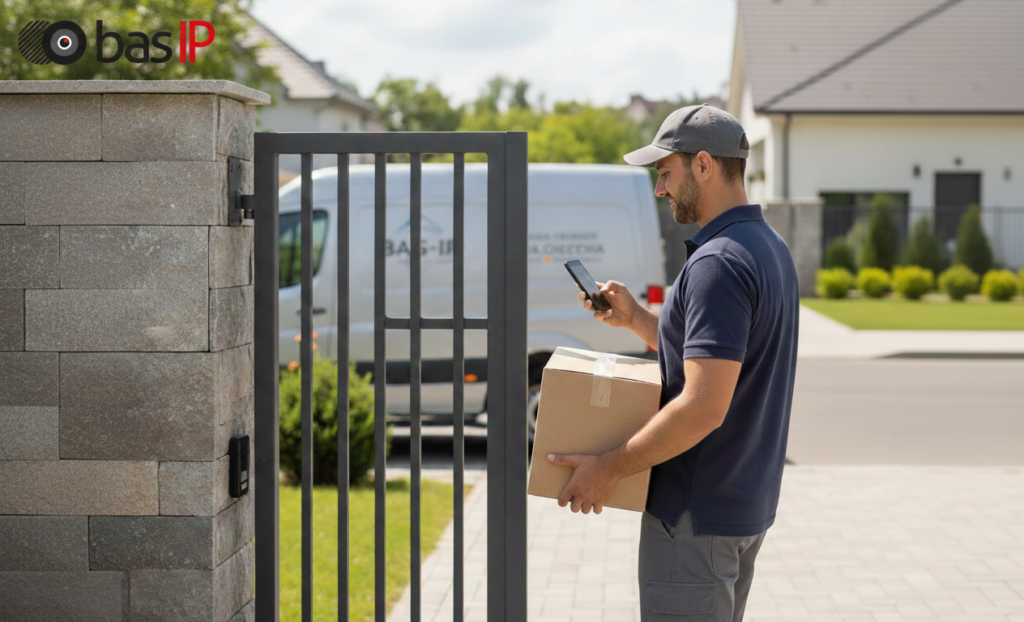
How delivery proceeds when you are not at home
The courier presses the button. A push arrives on the phone, you open the video call and ask to show the label on the box to make sure that the parcel is yours. If everything is fine, you say where to put it: “Leave it behind the gate, the box is on the right”, “Go up into the entrance and put it by door 45, I will open it now”. You press “Open” — the door unlocks for a few seconds, the person passes through without holding the leaf.
It is helpful to verbalise the action: “I will open now, come in and put it under the bench”.
If you are expecting several deliveries in a row, do not keep the entrance “wide open”. Answer each one separately. In rare cases (a home event) generate several one‑time QR codes in BAS-IP in advance, but with strict lifetime — the codes will “burn” at the right moment.
Security and politeness: where the line runs
BAS-IP writes the event to the log and can save video of the moment of the call, this is convenient for reviews. It is normal to ask the courier to turn the box and show the label; the services are used to this.
Do not ask to go further than necessary. A private house means the yard; a block entrance — the landing by the flat or the concierge. If help is needed to carry something heavy, do it when someone is at home, or agree in advance with the management company.
Personal information separately, access separately. Do not report: “the key is under the doormat”, “we are away for three days”. The intercom gives exactly as much access as needed, without extra words.
If something went wrong
Did the connection fail? Switch to mobile internet and call back from the BAS-IP log to the panel. If it does not work — send the courier an instruction through the delivery service app, if such an option is supported: “I will open the entrance for 10 seconds, leave it in the box at the gate”.
Do pushes not arrive? Check the “Do Not Disturb” mode, background permissions and make a test again. If it repeats — call an integrator: perhaps an old router is cutting notifications or the panel has weak Wi‑Fi (ideally — twisted pair and PoE).
Missed the call because you were at a meeting? Send a guest QR from the BAS-IP admin panel in a messenger. The code will open only the external entrance and only once and the courier will carefully leave the box, and the block entrance will not turn into a warehouse.
What is important in a multi-storey building and what is important in a private house
In a multi‑storey building the main question is the storage place. If there is no concierge, agree with neighbours on the landing and designate a “neutral point”: parcels do not bother anyone and are not visible from the staircase. A sign “Deliveries for flats 43–46 are left here” solves half the conflicts. BAS-IP is convenient in that the management company sees the event log and can quickly resolve disputed cases.
In a private house it is important to leave the parcel under a canopy. Specify to the courier where exactly to put the parcel, because usually they leave the parcel right at the gate in the open air. And even if it is sunny now, by the time you get home it can easily rain and spoil your goods. Therefore determine in advance where it is best to store parcels and ask the courier to put it exactly there.
How to understand that everything is set up properly
The call arrives quickly, the image is legible (the label is visible), the door opens at the first press, the event is recorded in the log, the app does not “fall asleep”. If these four points are fulfilled — delivery turns into a one‑minute and predictable process.
Conclusion
Receiving a delivery when you are not at home is a matter of preparation: the app, a thought‑out place for parcels, one or two guest accesses created in advance, and the habit of verbalising actions. Do this once — and afterwards each courier visit will take a minute instead of half an hour of explanations. Moreover, many services (for example, Amazon) allow you to prescribe instructions for the courier in advance, so use this!