
Skip to Content
Go back
slide
BAS-IP Link Cloud
A single, integrated approach to intercom that safeguards both your home and your business
Press here to get trial for free!

BAS-IP is proud to announce the launch of its new cloud service, Link Cloud. This revolutionary solution is set to redefine the way we think about video intercoms.

Link Cloud is the perfect choice for those who value convenience and functionality but don’t want to deal with complex software installation. Now you can answer calls from your video intercom directly on your smartphone, no matter where you are. The service requires no additional equipment and works seamlessly with any internet connection.

TYPICAL USE CASES
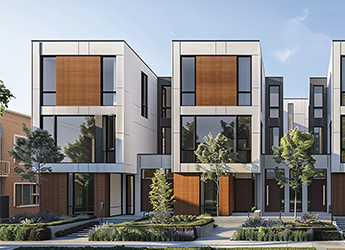
GATED COMMUNITY

OFFICES
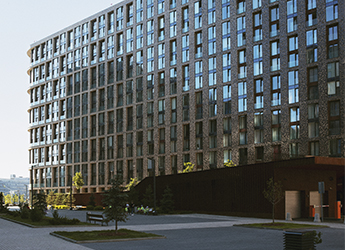
COMMERCIAL HOUSING

COUNTRY HOUSES
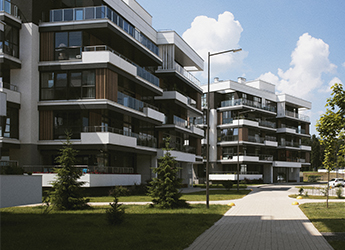
MULTIFAMILY HOUSES
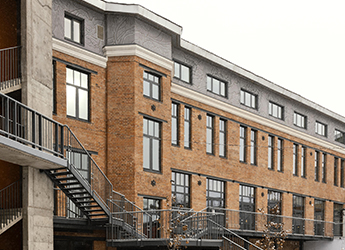
STUDENT HOUSING

BENEFITS OF CLOUD

  • NO PAYMENT FOR THE SERVER, ONLY FOR LICENCES

  • NO NEED TO SET UP A SERVER INDEPENDENTLY (OUR DATA CENTRES ARE ISO 27001 CERTIFIED)

  • ABILITY TO CONNECT PROPERTIES/SITES OF ANY TYPE AND SIZE

  • UNLIMITED USER AND PROPERTY PLACE SITE CONNECTIVITY

  • EASY REGISTRATION AND INVITING FAMILY MEMBERS

  • AUTOMATIC UPDATES

BAS-IP Link Cloud Basic
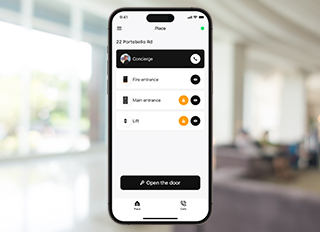
MOBILE APP USAGE LICENCES

A free BASIC license is granted for two mobile applications upon the user’s registration of a single BAS-IP device in the cloud, valid for a period of 10 years.
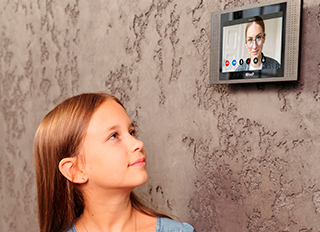
FREE CONNECTION FOR PANELS AND MONITORS

SIP numbers for devices are automatically issued upon server addition and are free of charge.

INCOMING CALLS FROM THE PANEL TO THE MOBILE APP

Receive video calls from your panel directly to your smartphone

OUTGOING CALLS FROM THE MOBILE APP TO THE PANEL

Remotely control your access system by making calls directly to your door panel from your mobile app
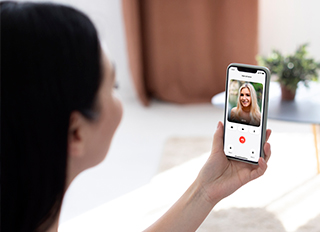
VIDEO BEFORE ANSWERING

Watch a video preview before taking a call
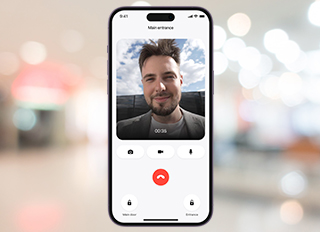
VIDEO DURING CONVERSATION

See who’s at your door in real-time: Our video intercom feature allows you to have face-to-face conversations with visitors, ensuring your safety and convenience
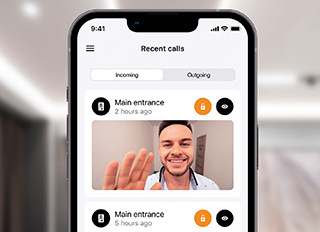
VIEWING CALL HISTORY AND PHOTOS OF VISITORS IN THE MOBILE APP

Complete control over your visitors: Review call history and photos of visitors to always know who’s been at your door

ADDING IDENTIFIERS BY VEHICLE PLATES (ONLY AXIS)

Add vehicles to your list and receive notifications when they arrive

Opening doors with face id and uploading from mobile app

Unlock your door with a simple glance. Upload your photo to the app and enjoy convenient and secure access

Option to invite a family member yourself

Enjoy the convenience of directly managing family member access. With this option, you can independently invite them to join, providing seamless integration for your loved ones.

ABILITY TO CREATE CUSTOM ROLES

Create your own user roles and assign different levels of access
BAS-IP Link App
Quick-start guide

We are excited to announce the availability of a detailed PDF Quick-start guide for the BAS-IP Link App. This comprehensive guide provides a step-by-step introduction to the features and benefits of our user-friendly mobile app for managing BAS-IP intercom systems. Download the Quick-start guide today and learn how to easily connect, configure, and control your intercom system from your smartphone or tablet.

Download

Link App

Secure access for each apartment

1m 31s

BAS-IP Link Cloud Plus

ISSUING TEMPORARY GUEST ACCESS FROM A MOBILE APP

Grant temporary guests access directly from your smartphone, specifying exact timeframes (by QR code, access code, license plate)

VIEWING A LIST OF ACTIVE AND USED TEMPORARY GUEST PASSES IN A MOBILE APP

View the history of issued temporary passes and track when and by whom they were used

SIP TRUNKS

Forwarding to users’ GSM mobile numbers

ADDING A DEVICE TO SIRI

Use voice commands to control access directly from your iPhone

GUEST ACCESS VIA VEHICLE number plates (ANPR) FROM THE APP

Create a list of authorized vehicles for entry to the property (Axis, Hikvision, Axxonone)
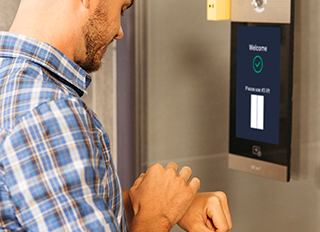
DISPLAYING DEVICES AND OPENING LOCKS FROM APPLE WATCH

View device lists and unlock doors directly from your Apple Watch

FLEXIBLE CALL FORWARDING SCHEMES

Intelligently routes calls with simultaneous ringing across all user devices, manages shift-based staff communication with priority routing, and simplifies new user onboarding for telephony without administrator involvement

WHITELABEL SERVER SETUP

Beyond hosting, this feature empowers every partner type, independent of their distributor, to customize their server address and modify email templates for a fully branded experience
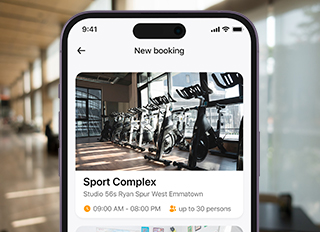
AMENITIES RESERVATION

Easily browse and book shared resources within your building or community. This feature allows residents and users to reserve amenities like meeting rooms, gyms, parking spaces, guest suites, or recreational facilities, ensuring convenient and equitable access for everyone.
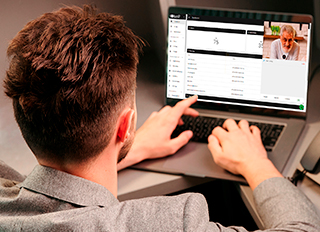
WEB-BASED CONCIERGE DIALER

Enjoy quick and convenient communication with concierge for requests and assistance.

ELEVATOR & FLOOR ACCESS MANAGEMENT

This feature grants access to designated elevators and authorized floors based on individual credentials

CALL ELEVATOR VIA APP

Conveniently request an elevator directly from your mobile application. This feature allows users to call an elevator to a desired floor before physically reaching the elevator bank, improving efficiency and accessibility.

BASIC VS PLUS LINK Cloud

Feature BASIC PLUS
Virtual numbers
Mobile application
Calling to/from mobile app
Call History in mobile app
Door opening during the call
Automatic camera photos during a call
Face ID unlock
Simultaneous dialling to all apartment residents’ numbers and devices
UKEY
Family members invitation
Whitelabel
Elevator access control from the server
Elevator calling via mobile app
Callings to GSM numbers via SIP trunks
Permanent identifiers Issuing via server
Web dialer (web concierge)
Guest identifiers Issuing via server
Temporary QR Guest Identifiers Issuance via mobile application
Temporary License Plate Guest Identifiers Issuance via mobile application
Temporary URL Guest Identifiers Issuance via mobile application
Temporary Pin code Guest Identifiers Issuance via mobile application
Remote door opening via mobile app without calling the device
Door opening via Apple Watch
Siri integration available
Subscribe to family members’ actions to receive PUSH of certain events
Managing amenity reservations from the server
Amenity reservations via mobile app
License plate access support

Download Link App

FAQs

Q: What SLA commitments are provided in the event of cloud outages or service disruptions — especially for BAS-IP Link Cloud and Link App?

BAS-IP provides comprehensive support for all its cloud services, ensuring:

• Prompt troubleshooting and incident resolution.
• Regular data backups and reliable restoration.
• Robust data security measures, including anonymization and protected storage.
• Continuous software and server updates.
• System optimization, scalable performance, and support for high data volumes.
• Consistent availability through proactive uptime monitoring.

Q: What is the standard response time and escalation protocol for technical issues (globally and in Asia)?

Our standard response and escalation protocols are detailed in our technical support policy. For Asia, we commit to a First Response Time of 2 minutes 20 seconds, with an Average Resolution Time of 6 hours during support team working hours.

Q: Do you provide server-side uptime guarantees (e.g., 99.9% availability)?

While a formal SLA document with a specific uptime guarantee (e.g., 99.9%) is not currently provided, BAS-IP is committed to ensuring the continuous performance and high availability of its software. We see the future in cloud solutions.

Q: In the event of a cloud failure, is there any local fallback mode or workaround?

Yes, in the event of a cloud failure, our system provides a local fallback mode:

• Hardware devices maintain independent functionality, allowing access via cards or other locally stored identifiers, and enabling internal communication between locally connected devices.
• The mobile app and external remote services might be temporarily unavailable.
• All data is regularly backed up and can be fully restored once services are resumed.

Q: What is the standard warranty duration for hardware and cloud-related services?

Hardware products come with a 3-year warranty. Software is covered for the duration of its license period; specifically, our basic service includes a 10-year warranty.

Q: How long is BAS-IP committed to supporting installed products (e.g. firmware updates, spare parts availability)?

BAS-IP is committed to long-term support for its installed systems:

• Cloud services and features are maintained for the entire duration of an active license.
• Firmware updates are provided for typically 3 to 5 years, aligning with the warranty period.
• Spare parts are readily available for 10 years or more.

Q: Can the system be expected to operate for 10 years or more, given appropriate maintenance?

Yes, with proper maintenance, our system is designed for an operational lifespan of 10 years or more. It remains a core focus within our long-term development and support roadmap.

Q: We understand that the Link App comes with a free 10-year license for two mobile devices per unit. What happens after that period?

After the initial 10-year period, users will need to purchase a new license to continue using the Link App. Licences can be renewed in advance to ensure uninterrupted service. While the physical devices will remain functional, continued app usage requires a renewed license.

Q: Is the Link software license one-time or renewable/subscription-based?

Link software licences are renewable and subscription-based, with pricing varying according to the product level and desired functionality. We offer flexible pricing models, providing better value for longer subscription periods.

Q: Do you offer the option to install the platform locally (on-premise) to avoid cloud dependency (for clients preferring full offline/local control)?

Yes, BAS-IP provides an on-premise deployment option for clients who prefer full local control and wish to avoid cloud dependency.

Q: Can Link App run on LAN only, or is internet access mandatory?

The Link App requires an internet connection to facilitate communication with our push notification server and enable remote access features.

Q: How should we clearly define the scope of responsibilities between: Local integrator, BAS-IP (as the cloud service provider), The end-user (tenants/property manager)?

Responsibilities are clearly defined as follows:

Local Integrator
Role: Local system integrator and first-line technical support.
Key Responsibilities: Acts as BAS-IP’s regional technical partner; installs and configures devices/software; provides first-line support to end-users (residents/property management); conducts system handover and user training; manages license procurement, activation, and renewal; and serves as the main administrator for Link project groups.

BAS-IP (Cloud Service Provider)
Role: IP Intercom Vendor and provider of cloud infrastructure (BAS-IP Link, firmware, etc.).
Key Responsibilities: Ensures stable operation of the BAS-IP cloud platform; provides second-line technical support to the local integrator (EPCON); delivers firmware updates, feature improvements, and bug fixes; and does not interact directly with end-users.

End User (Residents / Property Manager)
Role: Final user of the installed system and mobile application.
Key Responsibilities: Uses the intercom system for daily operations (calls, access, notifications); does not manage firmware or system updates; reports issues or service requests to the local integrator.

Q: If BAS-IP manages the cloud, what exactly remains under local support’s responsibility post-handover?

Following system handover, local support (e.g., the distributor’s technical team) retains responsibility for:
• Server configuration and the proper setup of users, devices, and features.
• Providing technical support for local installations.
• Delivering device-level support.

Q: Can residents and building managers access the system remotely from anywhere, as long as they are connected to the internet?

Yes, users can remotely access the system from anywhere with an internet connection, regardless of whether it’s a cloud-based or standalone setup.

Q: Are there any limitations per region for remote video calls, app notifications, or control features?

There are no functional limitations based on region. BAS-IP utilizes regionally distributed cloud servers to ensure balanced performance and reliable global access for all features.

Get a Quote

If you’re interested in upgrading your apartment buildings, offices, country houses, or other properties, please reach out to a BAS-IP specialist.

    I’m ready to try!

    Leave a request, we will contact you as soon as possible.

    By sign up youre agreeing to our Terms and Conditions